Image Processing · Digital lecture note
Lecture 2 – Image enhancement: intensity transformations and spatial filters
Görüntü İşleme – Görüntü iyileştirme: yoğunluk dönüşümleri ve uzamsal filtreler
- Course
- Image Processing (ELM463)
- Semester
- Semester 7 · Fall 2024–25
- Format
- PDF · 6 pages · 0.1 MB · handwriting-style LaTeX
- Language
- Turkish
- Original note
- Ders2.pdf
Open the PDF (0.1 MB)LaTeX source (.tex)Original handwritten note
What is in this note?
Section headings of the note (in Turkish):
- Sharpening Spatial Filters
Text of the note
Show as plain text (Turkish; formulas and drawings are not included)
Not: Orijinal dosyadaki basılı sayfalar (s. 3, 4) dijitalleştirilmedi; yalnızca el yazısı sayfalar aktarıldı.
Image depth: Bir piksel ifade etmek için kullanılan bit sayısı
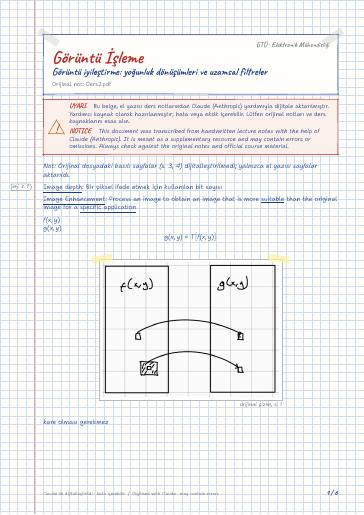
Image Enhancement: Process an image to obtain an image that is more suitable than the original image for a specific application
kare olması gerekmez
Operation on 1×1 neighborhood
– g(x,y) depends only on the value of f at (x,y)
karanlık görüntüyü aydınlatır (karanlık bölgeyi daha iyi görmemizi sağlar)
logaritmayı yüksek bileşenleri bastırmak için kullanırız.
bu korelasyon işlemi konvülasyondan farkı ters alma yoktur. Simetrik olursa korelasyon ve konvülasyonun farkı kalmaz
Görüntünün dışında kalan pikselleri 0 olarak kabul edin projede.
Mesela bu maskeyi düşünelim
pencere içindeki değerleri sıralıyorum küçükten büyüğe doğru ve ortanca değeri alıyoruz
En küçüğü alsa min, en büyüğü alsa max, k'nıncı
alsa k'nıncı filtre
Başka filtreye bakalım
Bölmeden girişe uyguladığını düşünelim
Bu yüzden filtre başta 16'ya bölünmeli
maskenin toplamı bir olmalıdır
Sharpening Spatial Filters
keskinleştirme detayları daha fazla görünür hale getirmek için
Böyle yapanlar da var